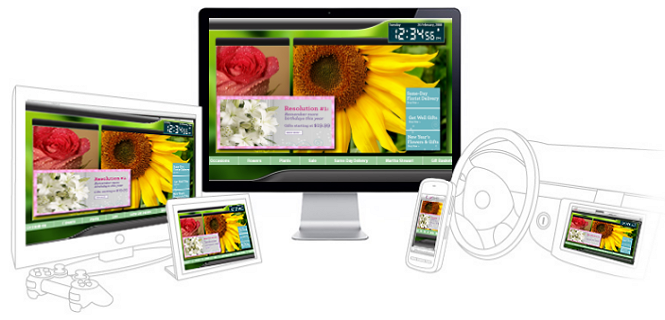
Signage Everywhere
(Click on examples below!)
Digital Signage everywhere, it’s no longer a
dream but a reality. Make a change once in the SignageStudio, and watch your presentation propagate to all devices.
Adobe’s Flash Player technology allows you to to optimize and enable Adobe® Flash® Player 10 and Adobe AIR™ for ARM
Powered® devices, ranging from mobile phones to set-top boxes, mobile Internet devices, televisions, automotive
platforms, personal media players and other mobile computing devices.
MediaSignage leverages the mobile
graphics and video capabilities of the CPU and GPU platforms to bring rich Internet digital Signage and
interactivity (kiosk) capabilities across mobile devices and consumer electronics
alike.
By
using the MediaSignage digital Signage solution you are opening yourself for seamless integration across devices
and platforms which will increase your business opportunity and allow you the flexibility to create presence that’s
common across all devices yet requires no special effort on your part. Our work horse SignagePlayer
Desktop version is designed to run on a dedicated PC connected to a
dedicated screen. The SignagePlayer
Web version allows you to quickly preview and share your presentation
via a web link which you can e-mail to customers and colleagues. And the SignagePlayer
Embedded version, you can now embed a Digital Signage or Kiosk
presentation right onto any Flash powered device/browser.
Build
it once - run it EVERYWHERE!
Just
imagine the possibilities, simply embed a snippet of HTML code and share your signage presentation with the world.
It doesn’t matter which operating system they use, which browser or even which device; simply load the page and
watch the latest revision of the same presentation that’s running everywhere else. Make a change in the
SignageStudio, click File > Save, and all SignagePlayers
(Desktop,
Web and Embedded)
display
the latest version. You can use the SignagePlayer Embedded version for dynamic web banners, create multiple screen
divisions, incorporate scheduling and take advantage of all of the SignageStudio features.
Watch
the Screen Cast on how to use it
Learn
how to take advantage of the SignagePlayer Embedded version.
Watch the screen cast and get a step by step instructions on how to embed this on to your own web site/device.
Checkout
some examples
Want
to see the SignagePlayer Embedded version in action? No problem
Follow the link to see just how cool this new feature is. We are sure you can come up with a ton of ways to take
advantage of this.
Hotel Lobby
Museum example
Sports Bar
Health Club
Car Dealership
Hobby Shop
Gym
Flower Shop
Hair Salon
Dr. Waiting Room
Art Gallery
Home and Garden
Pet Shop
Food Menu
Travel
College
Coffee Shop
Bank
Gas Station
Sushi Restaurant
Casino
More to come soon. Stay tuned:)
| 
